The team needed video review software. We’d been planning to use Frame.io, but the
licensing came through slowly enough that the work was getting blocked, producers couldn’t hand
mockups off to clients, the animation team couldn’t get frame-accurate notes back from stakeholders,
and review cycles were piling up. So I built our own.
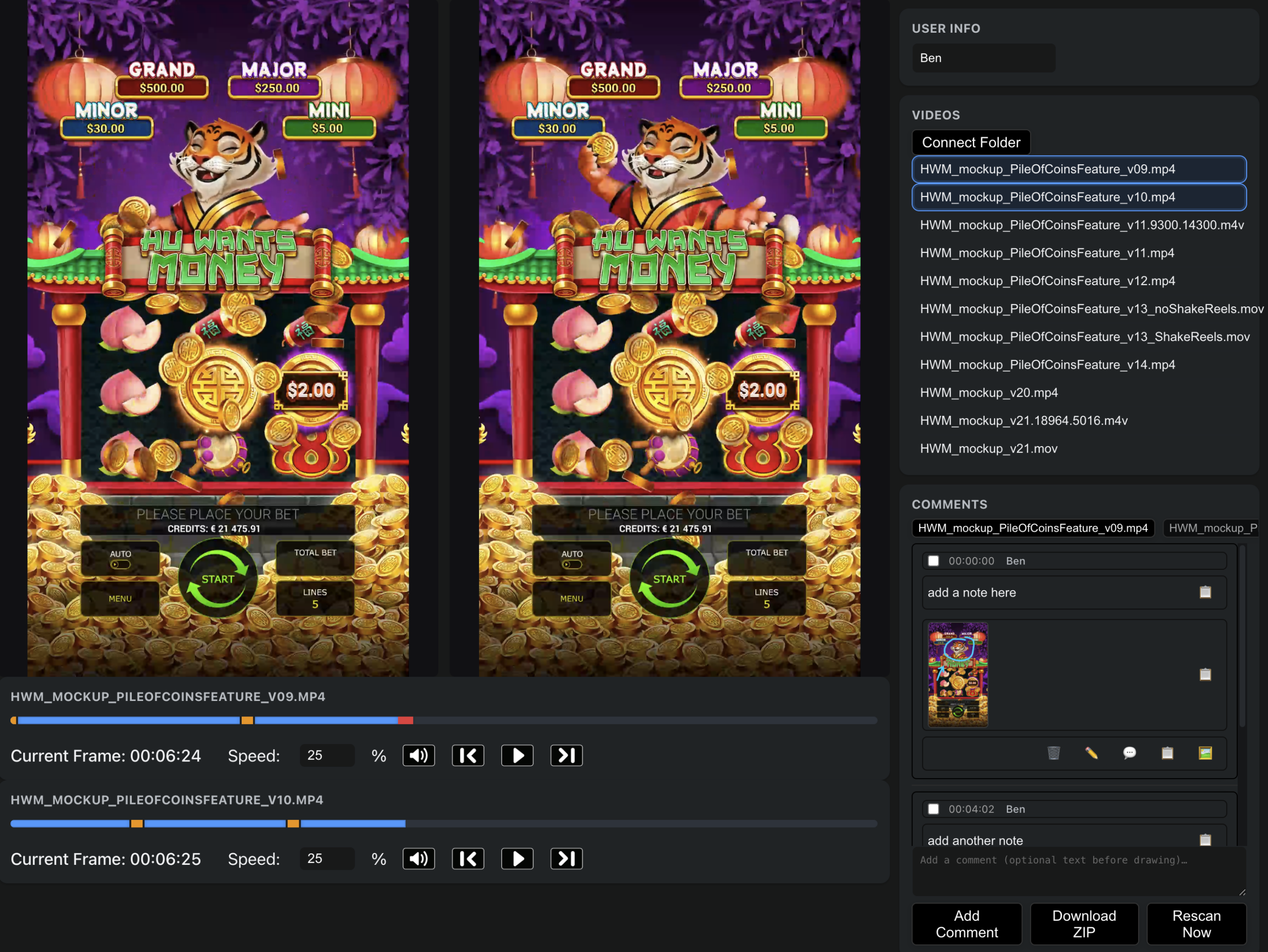
The build
We already had a Resilio Sync setup deployed across the studio, a peer-to-peer
folder sync that the animation and art teams used to ship large mockup files around without saturating our
internet pipe. The video review tool sat on top of that: point it at a Resilio-synced folder and it would
scan, ingest, and serve every video file in there as a reviewable asset. New mockups dropped into the folder, new files showed up in the review tool, automatically.
That alone closed most of the gap with Frame.io. From there I added the features the team actually
needed:
Frame-accurate playback and review
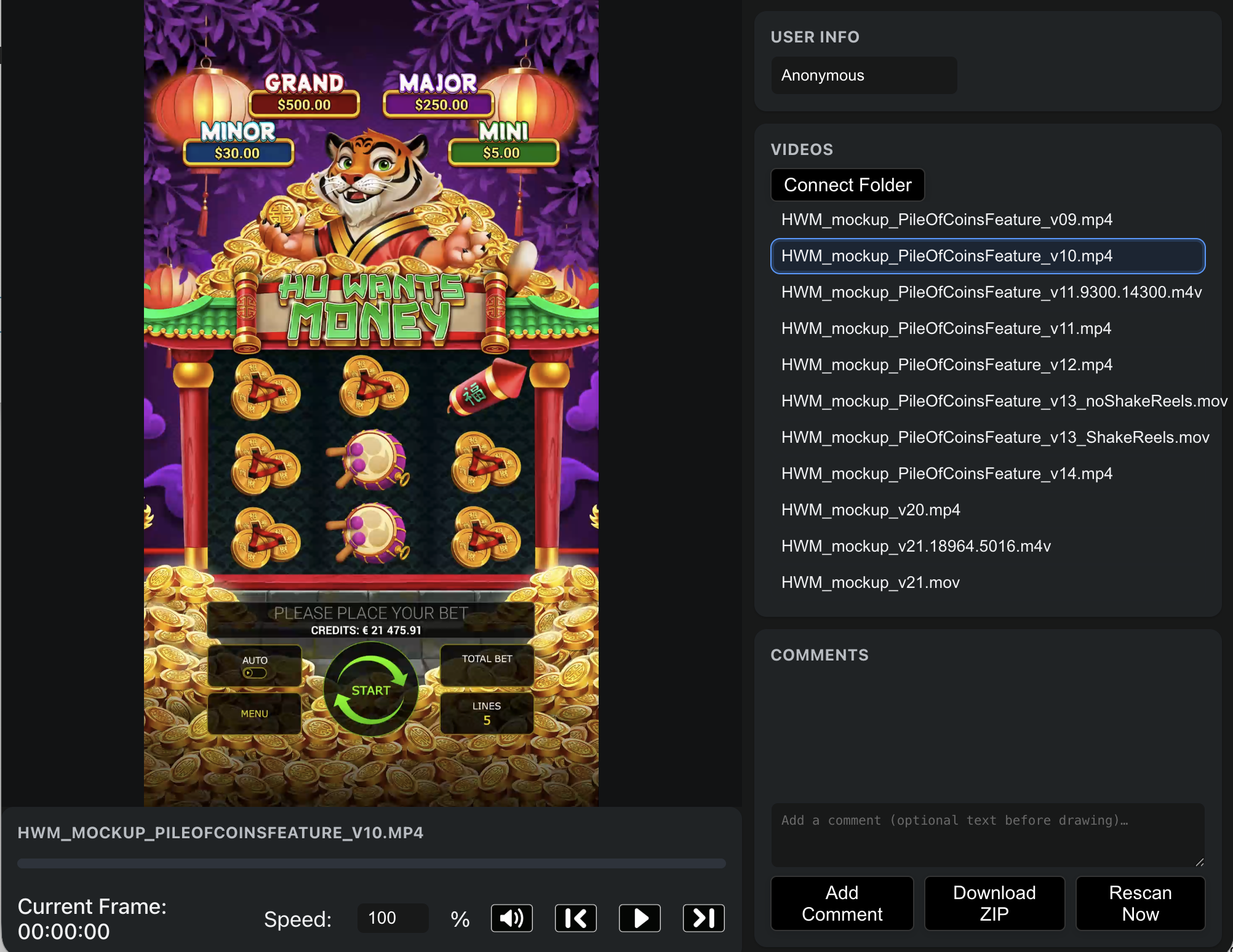
Frame-by-frame stepping, variable playback speed, an explicit current-frame counter, and a per-file
comments list. Anonymous reviewers could leave notes without an account, we wanted clients to be
able to drop a comment without us provisioning a login for them.
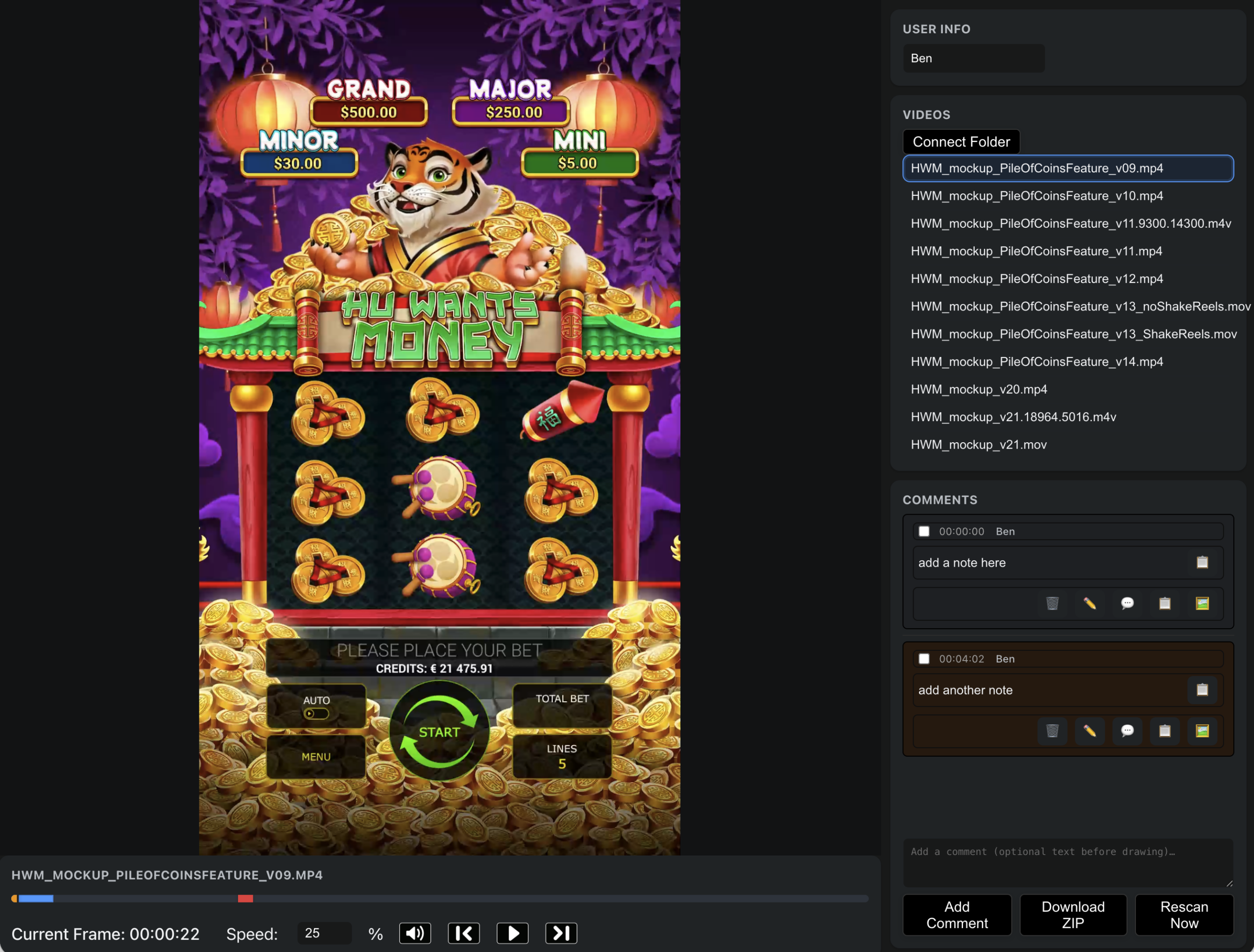
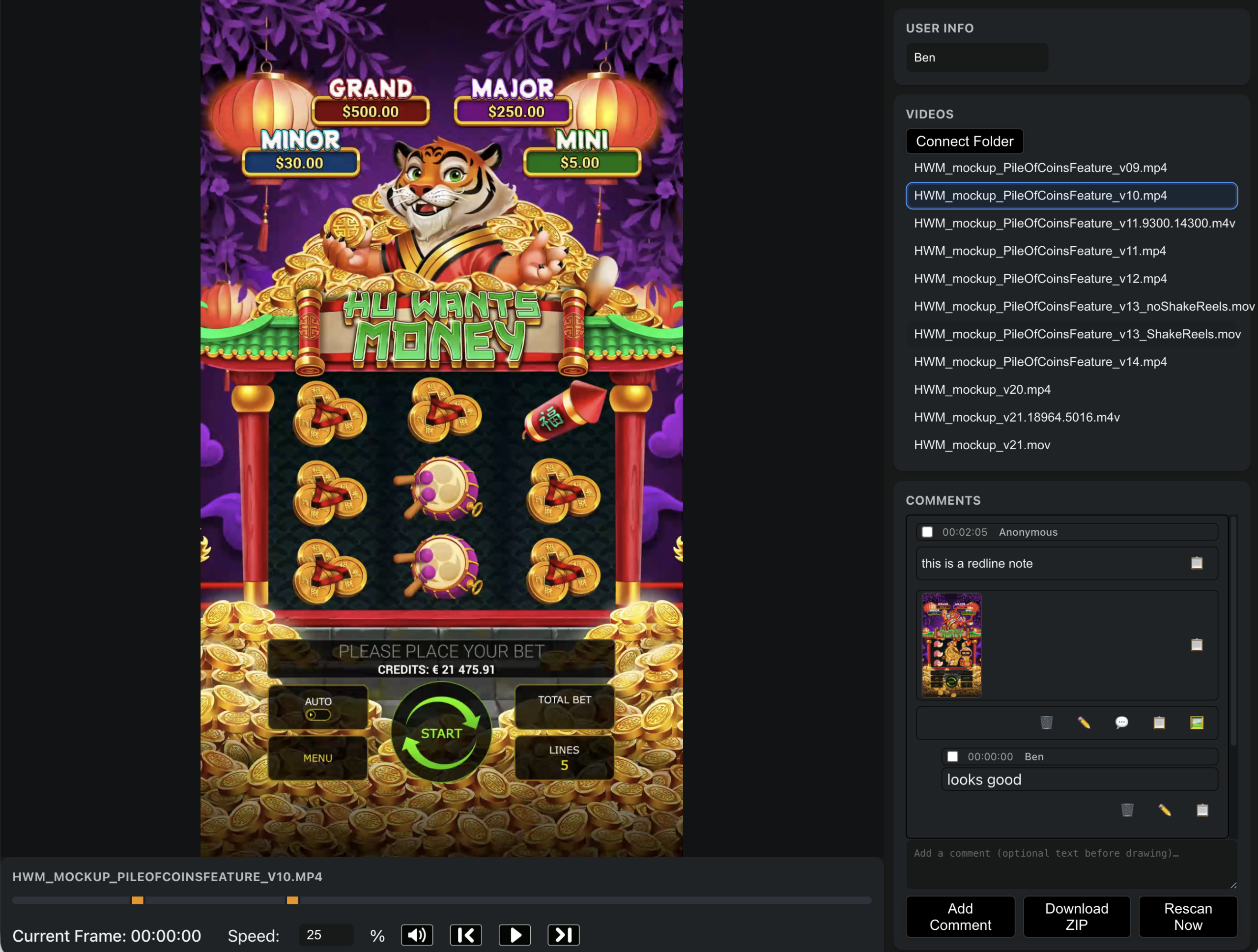
Markup directly on the frame
The thing reviewers actually wanted, and the thing Frame.io did at the time but most cheap
alternatives didn’t, was to draw on the frame. Circle the part of the screen you mean, point an
arrow at it, write “move this over here.” So I built that in: pause the video, open the markup
tool, pick a color and brush size, draw on the frame, save. The drawing gets attached to the comment as a
thumbnail.
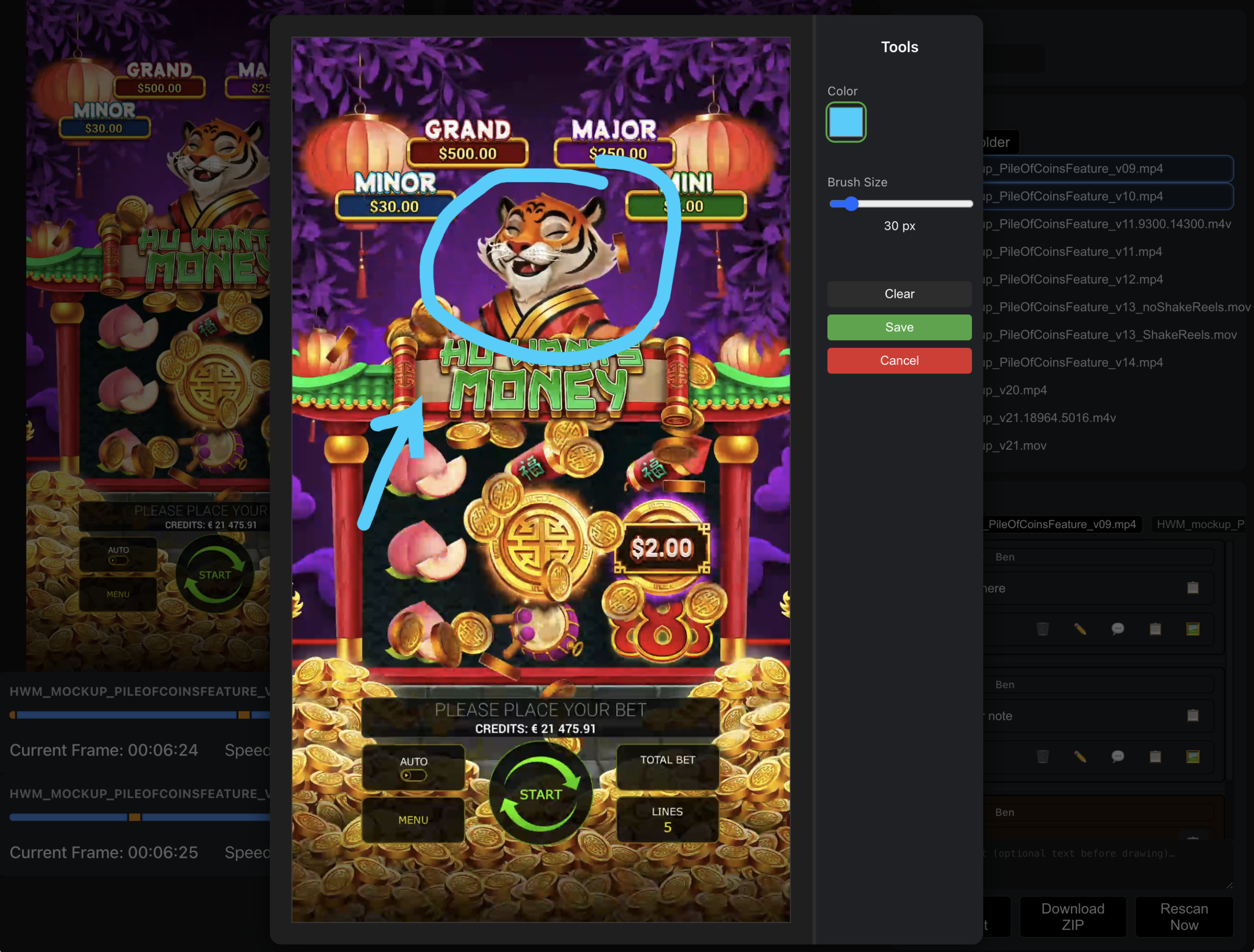
Where it surpassed Frame.io: side-by-side compare
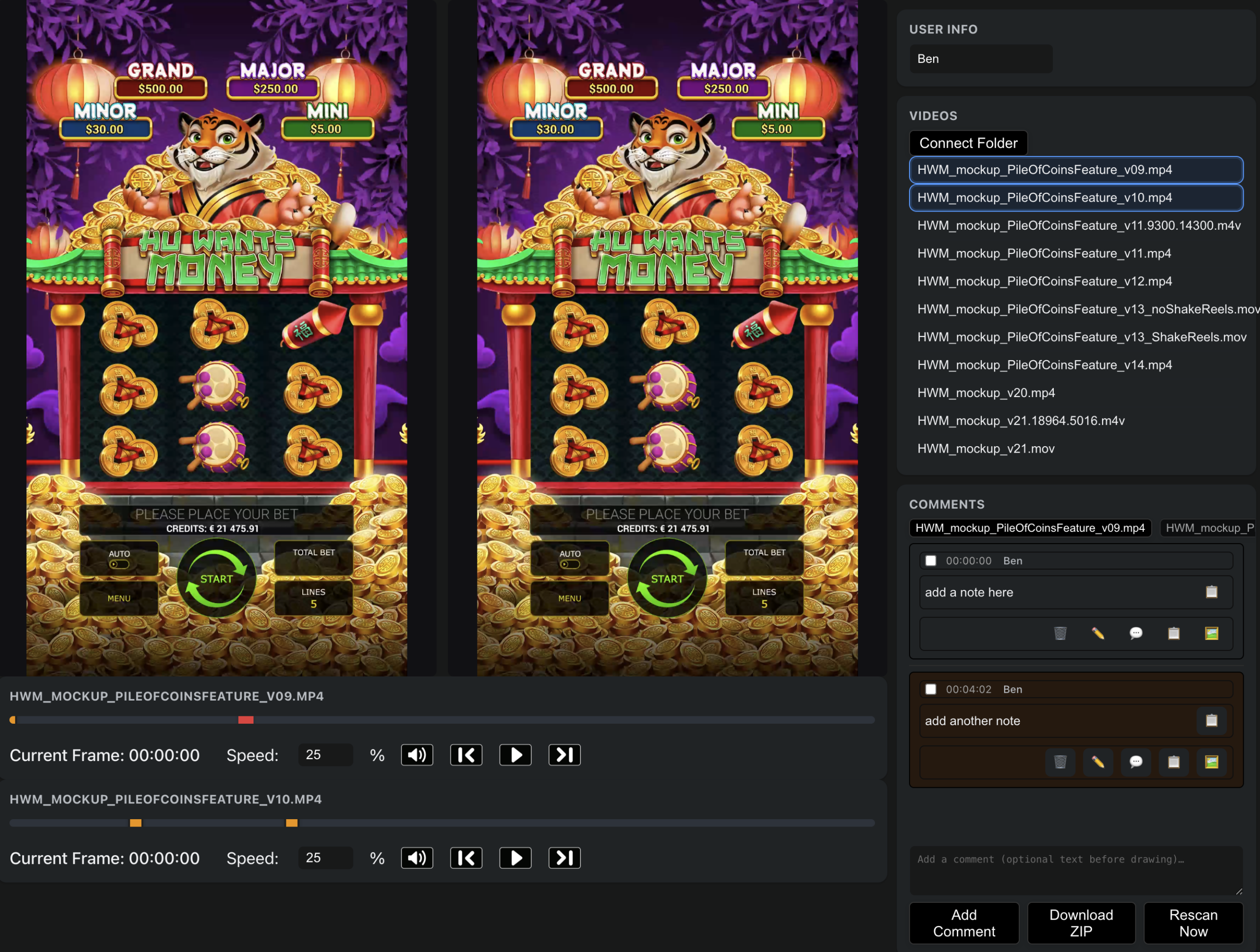
This is the part I’m proudest of. At the time, Frame.io didn’t do this. The team needed to
compare two versions of the same mockup, v09 against v10, “shake reels” against
“no shake reels”, and they wanted to play both at the same time, with a shared comments
panel that flipped between which video the note was attached to. So the player went dual, both timelines
ran independently, and you could annotate either side.
What it shipped
It unblocked the team within a week. Once Frame.io licensing finally came through later, we kept using
the in-house tool for the workflows that mattered most, the side-by-side comparison especially,
which we’d gotten used to and didn’t want to give up. It’s the kind of project that
wouldn’t have existed if procurement had moved faster, and I’m glad procurement was slow.