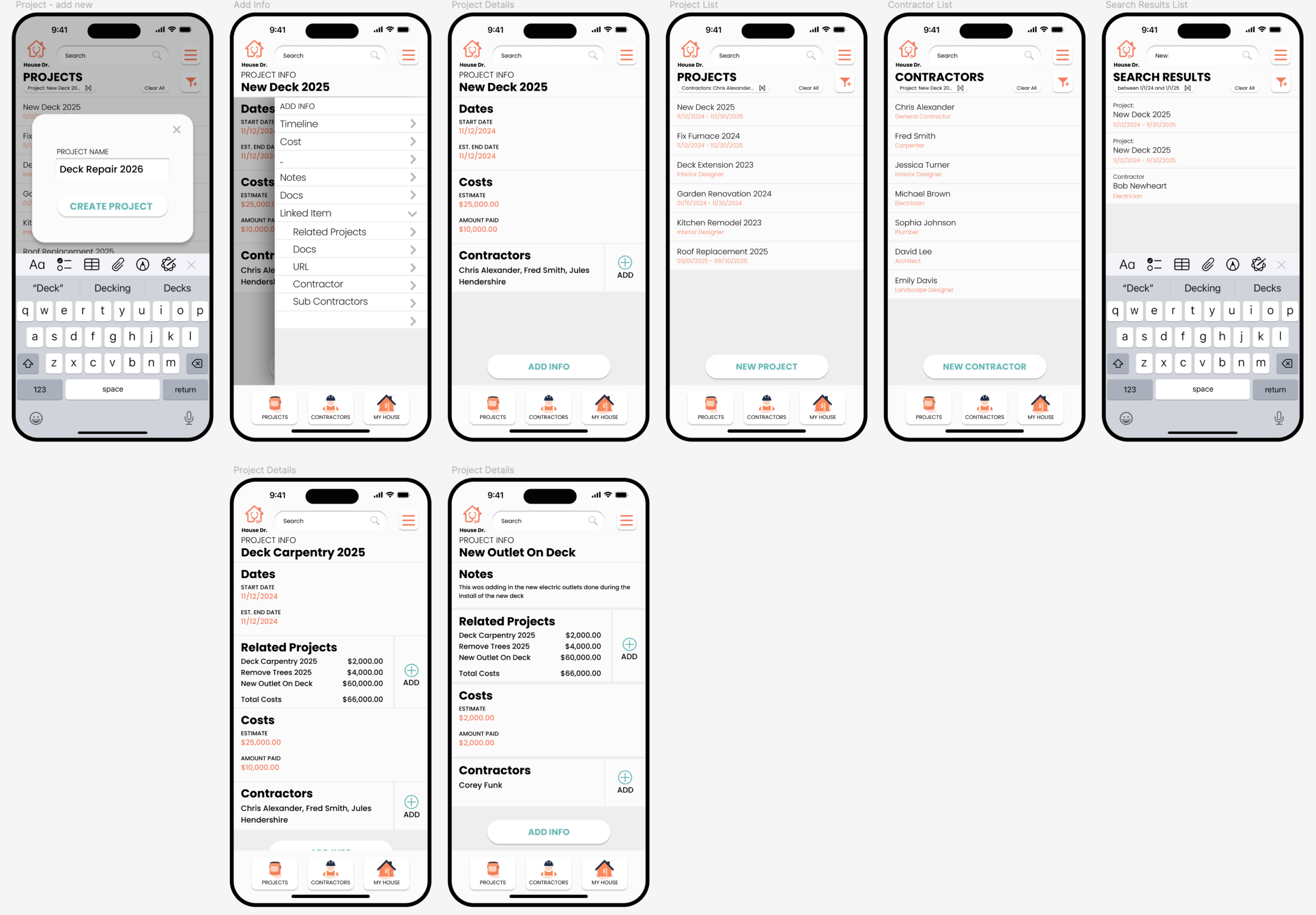
House Dr is an active prototype I’m building: a mobile app for managing the
ongoing reality of owning a house. Projects you need to do, projects you finished, the contractors who did
them, what was actually replaced or installed, and the systems and rooms it all attaches to. The app is
still in development, what’s shown below is the current state of the interaction and information
design.
The problem
Every homeowner accumulates the same information, the kitchen sink was replaced in 2025 by so-and-so,
the deck was repaired in 2026, this contractor is good for plumbing, that one is good for electrical,
the next house re-paint is due in three years, and almost nobody has anywhere good to put it. It lives
in receipts, in texts, in memory, and it’s lost the moment you go to sell the house or hand it off to
someone else.
Information architecture
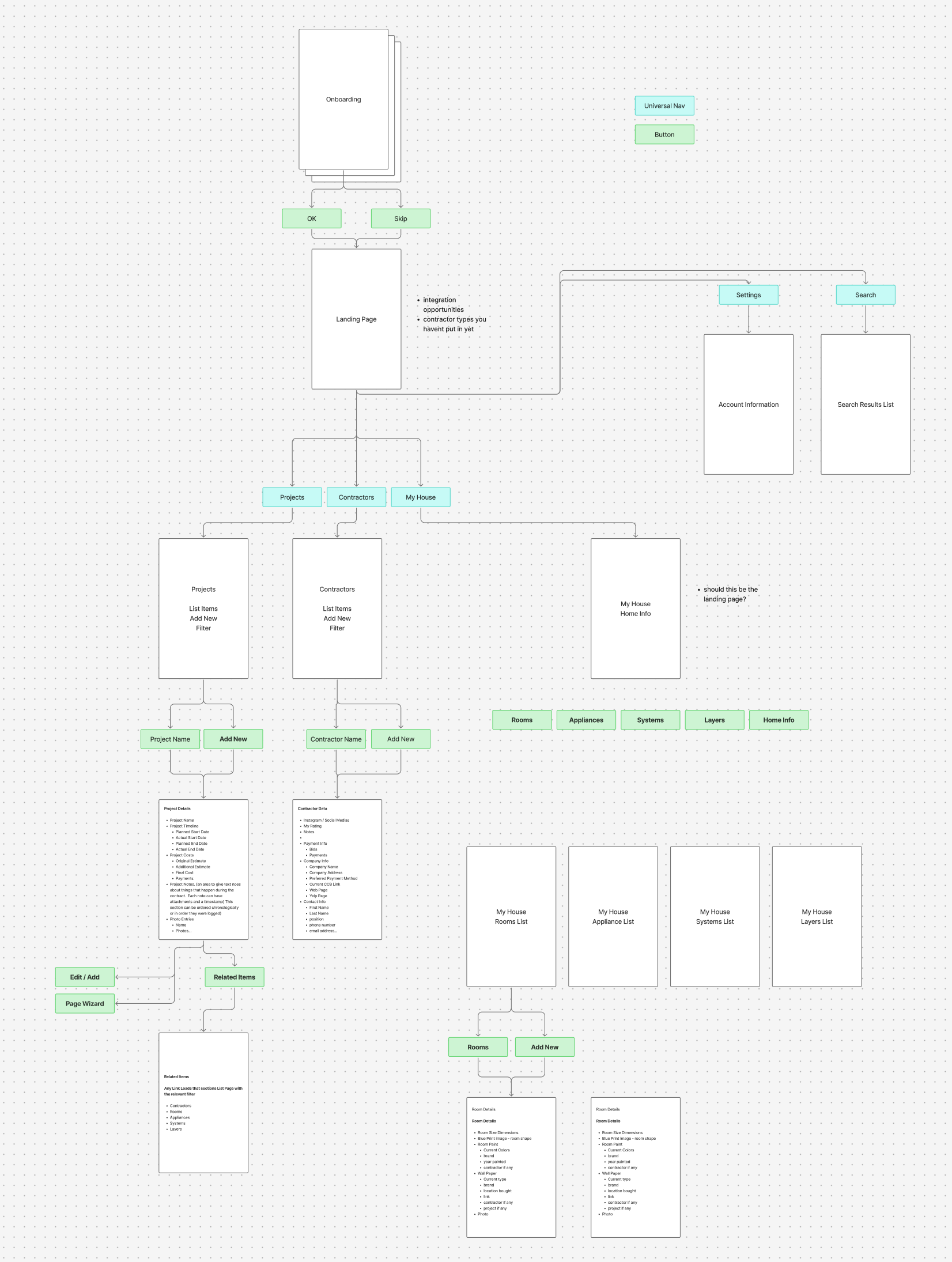
The most important early decision was how the data hangs together. The app is organized around a small
number of first-class objects, Projects, Contractors, House Info, Schedule, and a set of
sub-objects (rooms, systems, appliances, layers) that the others reference. The flowchart below was the
shape it took on the second pass, after I’d reorganized away from a feature-list model toward a
relational one.
App map and screen specs
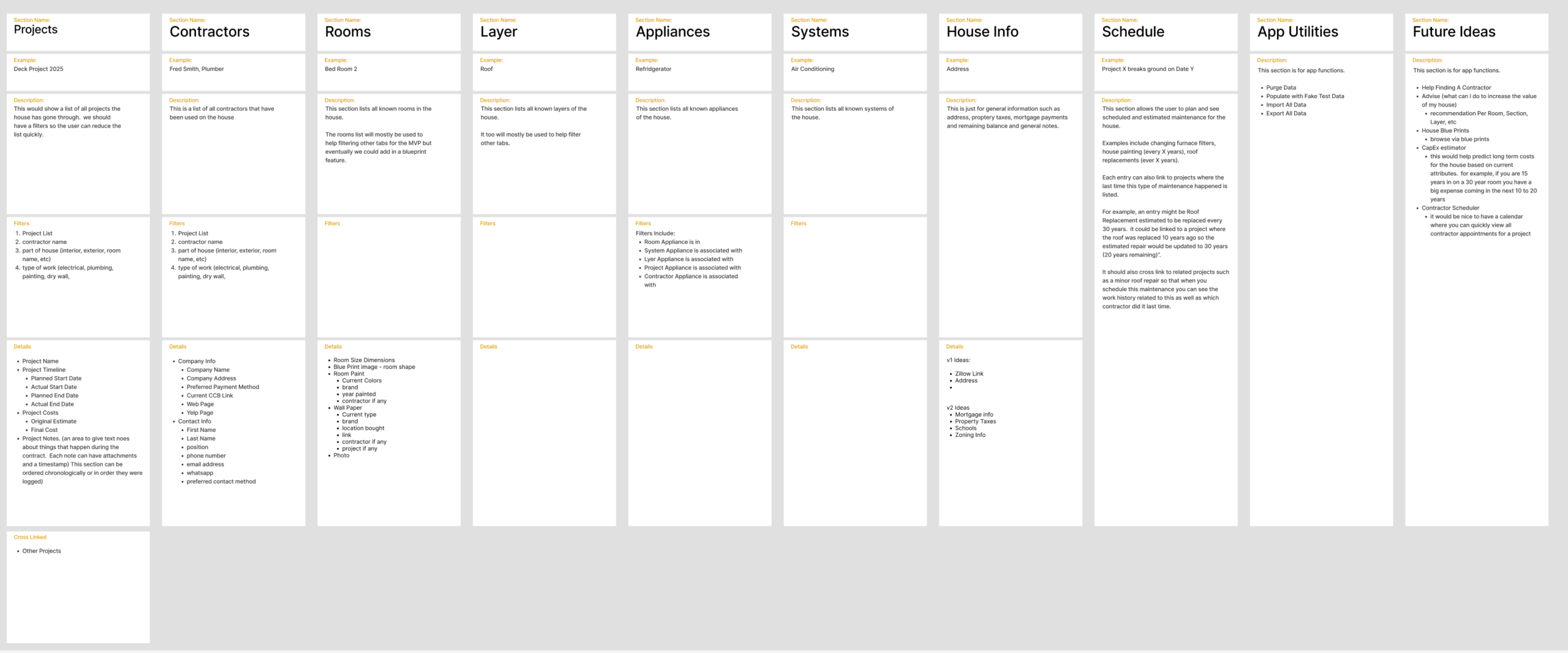
Each top-level section gets its own column, Projects, Contractors, Rooms, Layer, Appliances,
Systems, House Info, Schedule, App Utilities, Future Ideas, with the screens it contains, the data
that lives in each, and what each screen is supposed to do. This is the document I work from when I’m
deciding what to build next.
Status
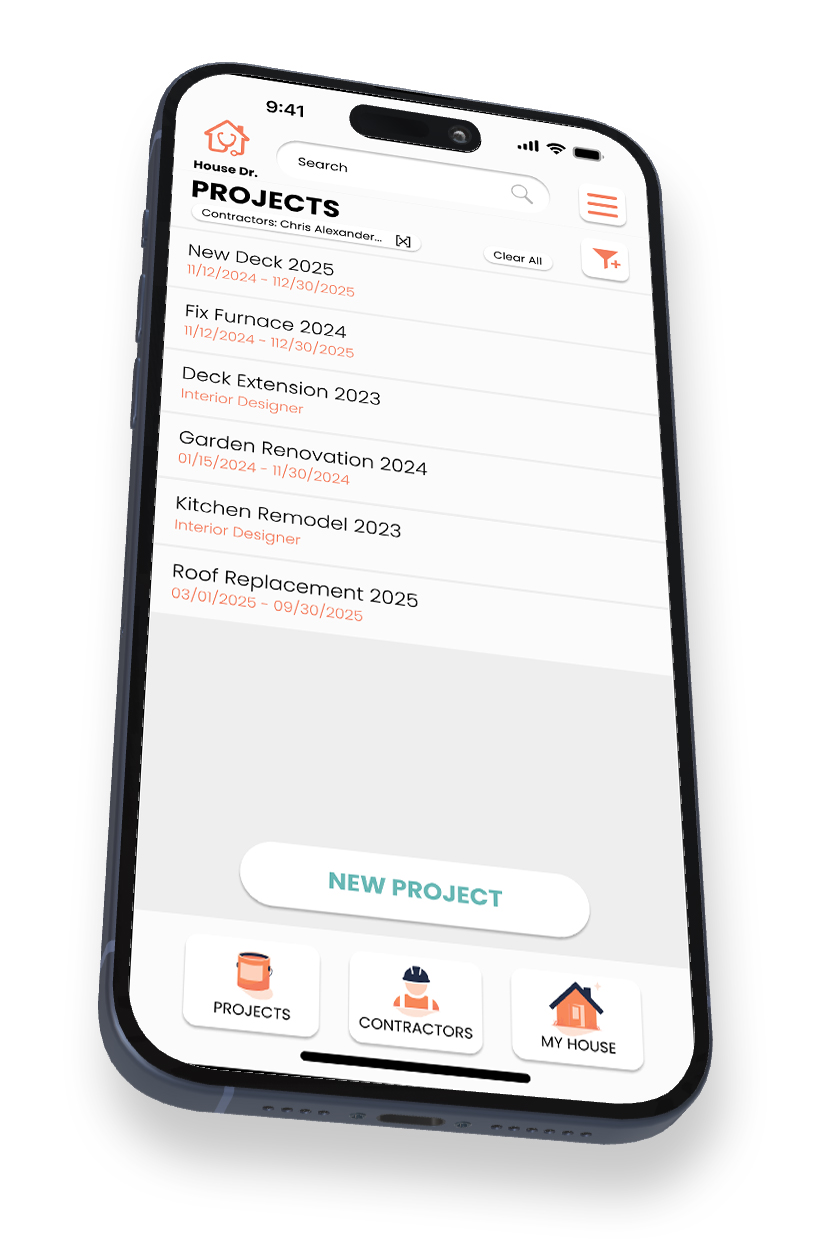
Active prototype, not yet shipped. The IA is settled enough that I’m comfortable building from it.
The next major phase is building out the data layer and the “add new project” flow end-to-end,
since most other flows depend on it being right.
>