I built a small utility that lets a user move ticket information between Jira and Asana by hand, without needing admin permissions on either platform.
The problem
Most organizations running mixed project management tools hit the same wall: cross-team visibility gets blocked by permission structures. The engineering team is in Jira, the marketing or design team is in Asana, and neither side can see what the other is working on without an admin somewhere granting cross-tool access. The admins are busy. The teams stay siloed.
What the tool does
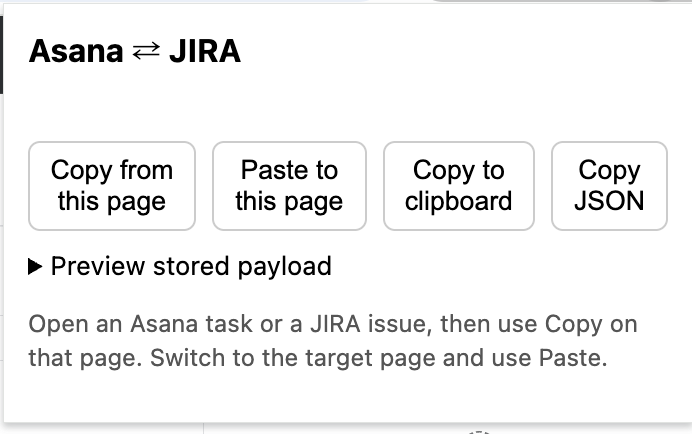
The utility runs at the individual user level. Open an Asana task or a JIRA issue, click Copy from this page. Switch to the equivalent target page on the other platform and click Paste to this page. The fields move across. There’s also a Copy JSON option for when someone wants to inspect or hand off the raw payload.
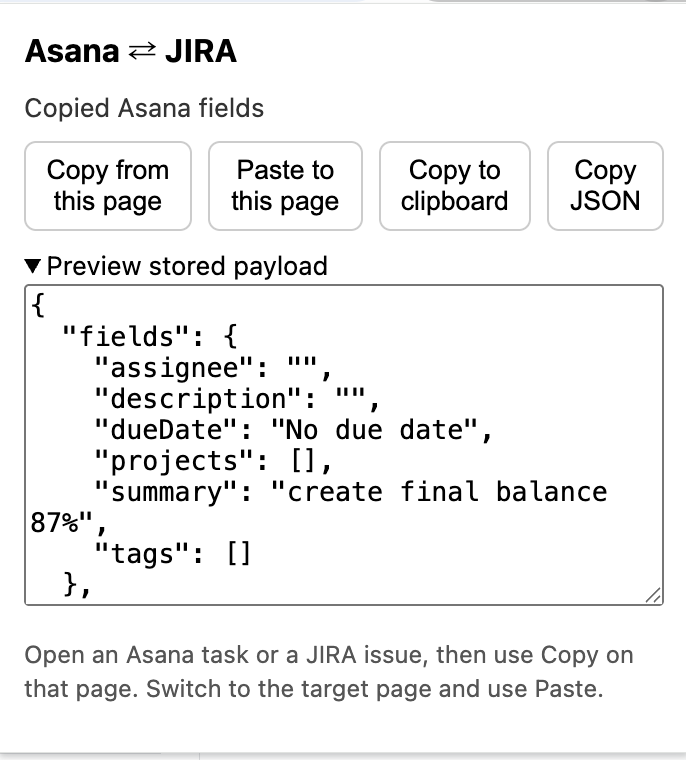
The payload preview lets the user see exactly what is about to be pasted before committing. No surprises, no silent transformations.
Why I built it
The problem was real and no clean solution existed. I built it in personal time because the friction kept showing up in real work I cared about, and the existing alternatives all required admin cooperation that wasn’t forthcoming. The fix had to live where the users actually were, on the page they were already looking at.