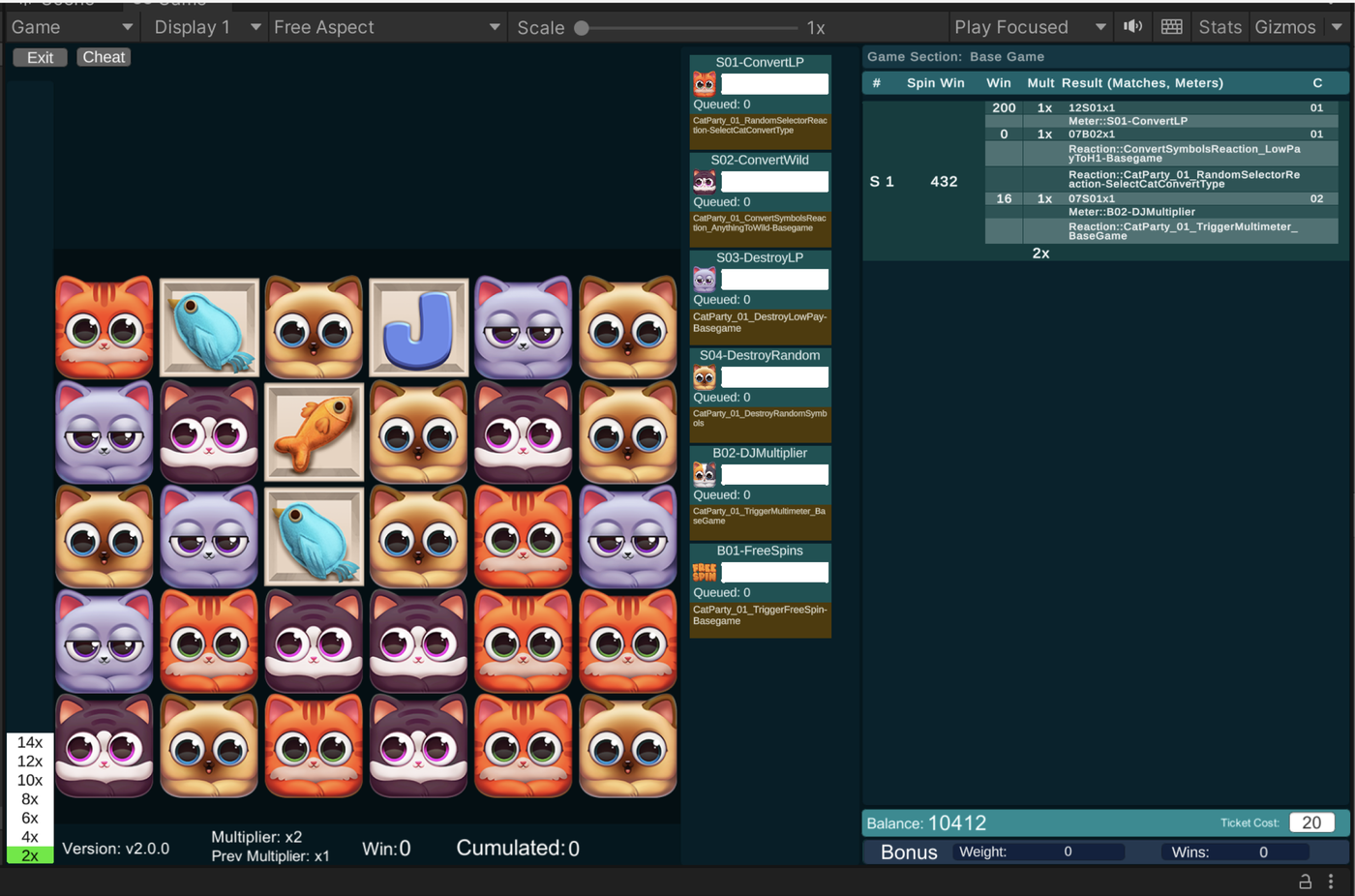
When a critical external math resource became unavailable mid-production at Greentube, I conceived and drove development of an internal game math tool from scratch rather than slow production down or scramble to re-hire externally. I engineered the prototype myself but as soon as it proved it was a viable idea, I added real engineers and served as inventor, product lead, product owner, and UI/UX lead throughout.
What it does
I designed the system so designers and artists could interact with game math visually and in real time rather than through spreadsheets. The shift from spreadsheets to a visual, interactive surface dramatically improved cross-discipline communication and iteration speed. Math designers, game designers, and artists could finally talk about the same artifact at the same time.
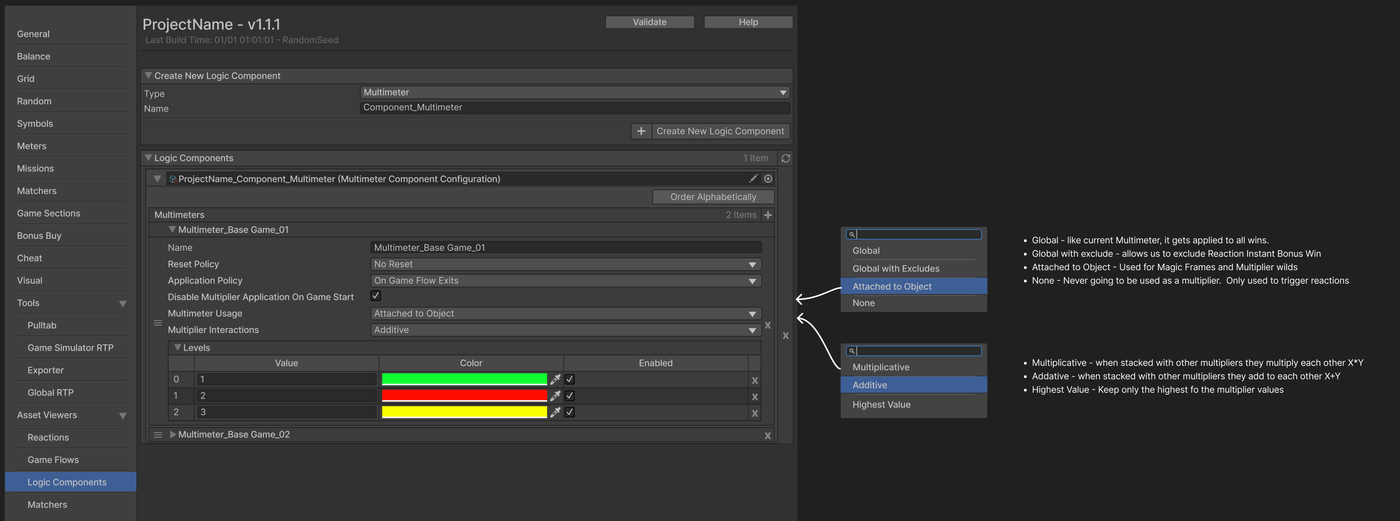
Above is one of the configurator panels with the design documentation overlaid. The math team configures the actual logic on the left, the design intent and option semantics on the right. Documentation lived inside the tool rather than in a separate confluence page where it would drift out of date.
How it shipped, the UX work
I led the engineering team through build and productionization, but a lot of my day-to-day on this project was the design work itself. Deciding which abstractions belonged where, how the menus should expose them, and what the math team workflow would feel like under sustained use.
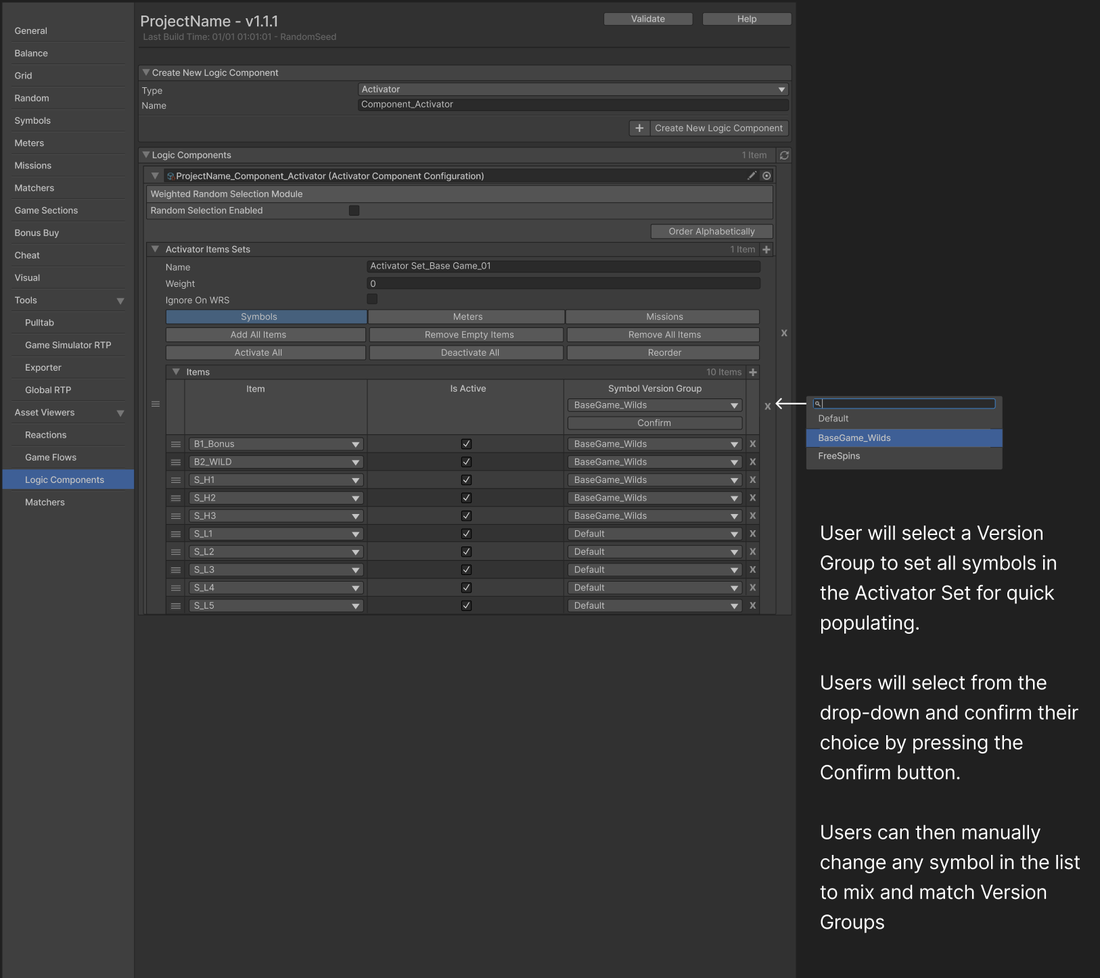
The Activator panel above is a good example. It looks simple, but the interaction has to handle two workflows in one (set-all-at-once and then mix-and-match) without making either path feel like the special case. That kind of decision shaped the entire tool.
The tool became a permanent fixture of the studio workflow, reducing reliance on external math contractors and improving the pacing and quality of shipped titles.
Why it mattered
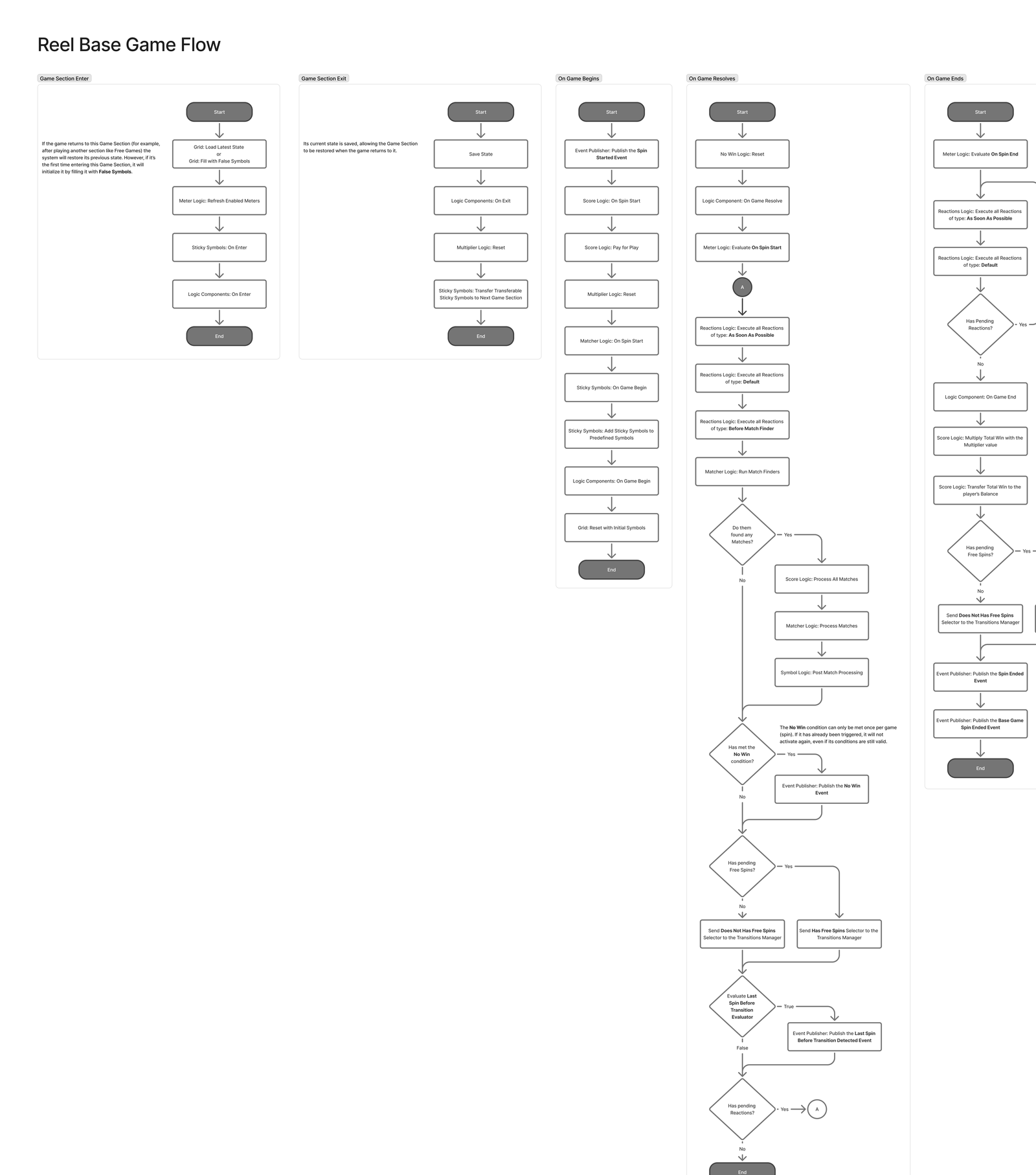
The win was not the tool itself. It was the change in how math and design conversations happened. Once those two disciplines could iterate against the same live object, decisions sped up and the work got better. The flowchart below is the most direct illustration of that. A Reel Base Game Flow assembled from the tool components. Math, design, and art can all point at this and talk about it in the same language.
That kind of upstream cross-discipline change is something I look for whenever I am placed in a position to build tooling.